
One box code carries the complete manifest forward
The QR code or barcode locates the box manifest. Retrieve its complete EPC list and version with the required authorisation, without asking the operator to scan every item again.
04BOX-LEVEL RFID VERIFICATION
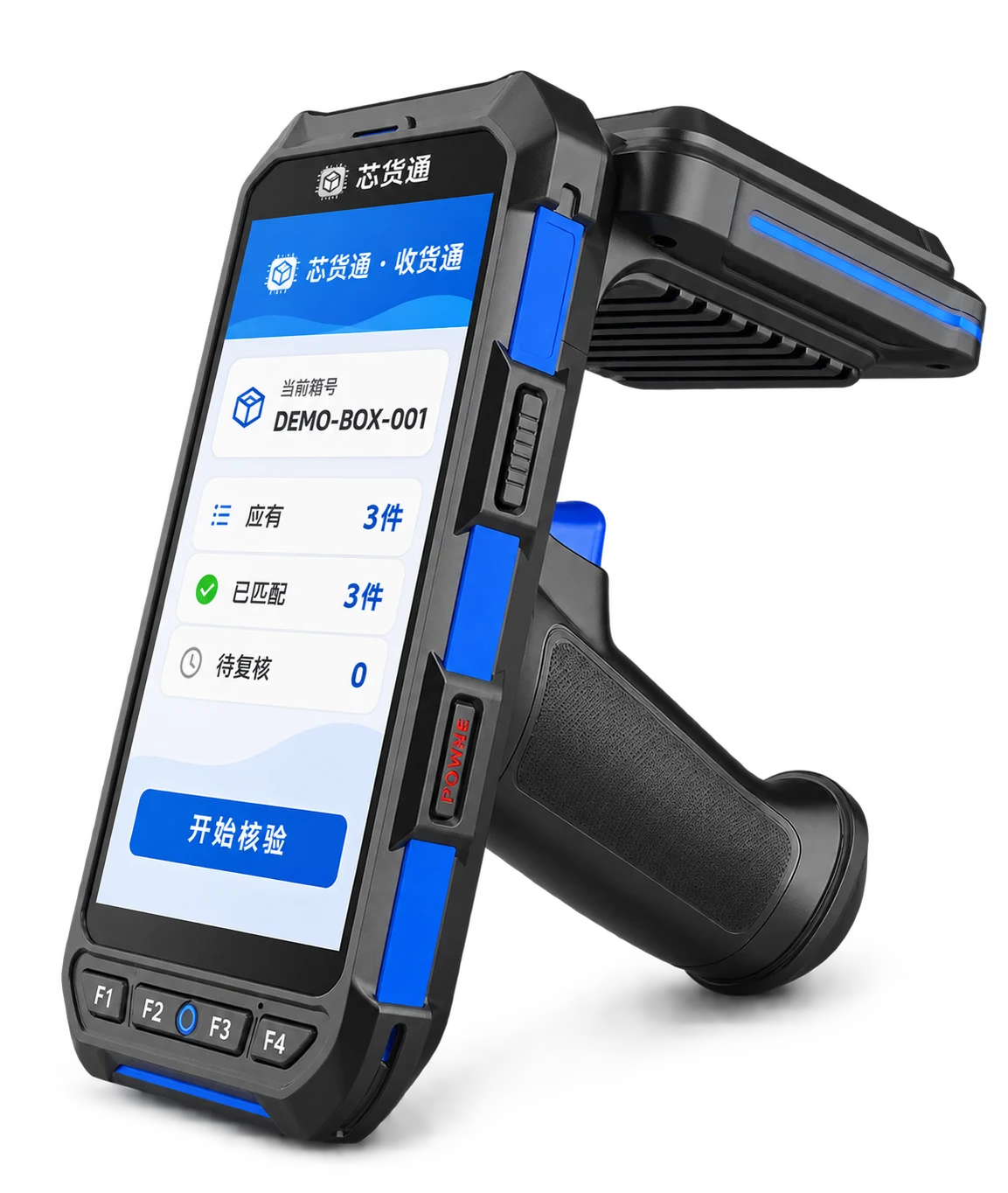
Xinhuotong PDA Receiving
Scan the box QR code or barcode to retrieve its complete expected EPC list. Read the physical goods with the PDA and compare each item to support receiving, unpacking checks and returns verification.
Box verification workflowDelivery scope follows actual configuration and validation results
01DESIGNED FOR THE WORK
During item-by-item packing, the supplier links each box code to its full EPC list. The receiver scans the box code with a PDA to retrieve the expected item list, then reads the box in an area with relatively few nearby tags and little interference. The software compares full EPC sets, checking for wrong items even when the totals match.
Suitable applicationsSmall warehouses / Retail stores / Supplier handover / Returns verification
The QR code or barcode locates the box manifest. Retrieve its complete EPC list and version with the required authorisation, without asking the operator to scan every item again.
Small warehouses and stores can start with one RFID PDA, without first building a dedicated fixed tunnel or a bulky bulk-read cabinet. Choose the capture method to suit the actual workload.
Distinguish manifest tags read, expected tags not read and tags read outside the manifest. Retain unknown tags and duplicate reports, then confirm discrepancies through rescanning and operator review.
02HOW IT WORKS
Scan the outer box QR code or barcode to retrieve its box code, version and complete expected EPC list.
Separate the current box from neighbouring boxes and other RFID goods, then read it using the handheld PDA.
Deduplicate full EPCs and compare them with the manifest. Missing reads, extra reads and unknown tags require rescanning and review.
Use confirmed results for receiving, unpacking checks or returns review. Business posting is confirmed separately against interfaces and authorisation.
03EXPLORE THE WORKFLOW
Try the “Same count, wrong item” example: 3 expected items and 3 read items still reveal an expected tag not read and an EPC outside the manifest. All data below are synthetic.
Retrieve the manifest before reading tags. A match cannot be confirmed without a complete manifest.
The demo uses synthetic box codes and EPCs. It does not connect to a PDA, manifest service or ERP.
After selecting a verification purpose, continue within discrepancy-review and business-authorisation requirements.
ApplicationsONE WORKFLOW · THREE USES
Receiving, unpacking and returns all start by verifying the box contents.
Compare the packing manifest with this box's read results, review discrepancies and then confirm receipt. ERP goods receipt follows the actual interfaces and permissions.
Check item-level EPCs against the original manifest. Retain missed reads, extra tags and unknown tags, and open the box for item-by-item checks when needed.
Check returned goods against the original manifest, order and item condition to support return acceptance, inspection and restocking.
04CONFIGURATION & DELIVERY
Start with your actual goods, tags and working environment,
and agree the hardware, software and service scope together.
A match cannot be determined without a complete manifest. Expected tags not read may be missed reads; tags read outside the manifest may be cross-reads. Rescan, move nearby tags away or open the box before confirming physical discrepancies. A successful comparison does not automatically mean ERP inventory has been posted and does not replace returns inspection or refund decisions.
05DOCUMENTATION & CONTACT
PDF · English · V1.0 · 2026.11.13
Compare full EPCs item by item. Even if both expected and read totals are 3, an expected EPC that is not read together with an EPC outside the manifest still produces a discrepancy.
This workflow can start with a handheld PDA and a relatively separate verification area. Fixed tunnels, inventory chambers and other equipment are selected separately for throughput, RF conditions, workstation layout and automation needs.
Without an expected list, box completeness cannot be confirmed. Resolve box-code, permission, connectivity or manifest-upload issues before resuming verification.
Compare each full EPC with the original box manifest and retain discrepancies. Return acceptance, restocking and refunds also depend on the actual order, item condition, inspection and business rules.
CONTINUE EXPLORINGRELATED PRODUCTS
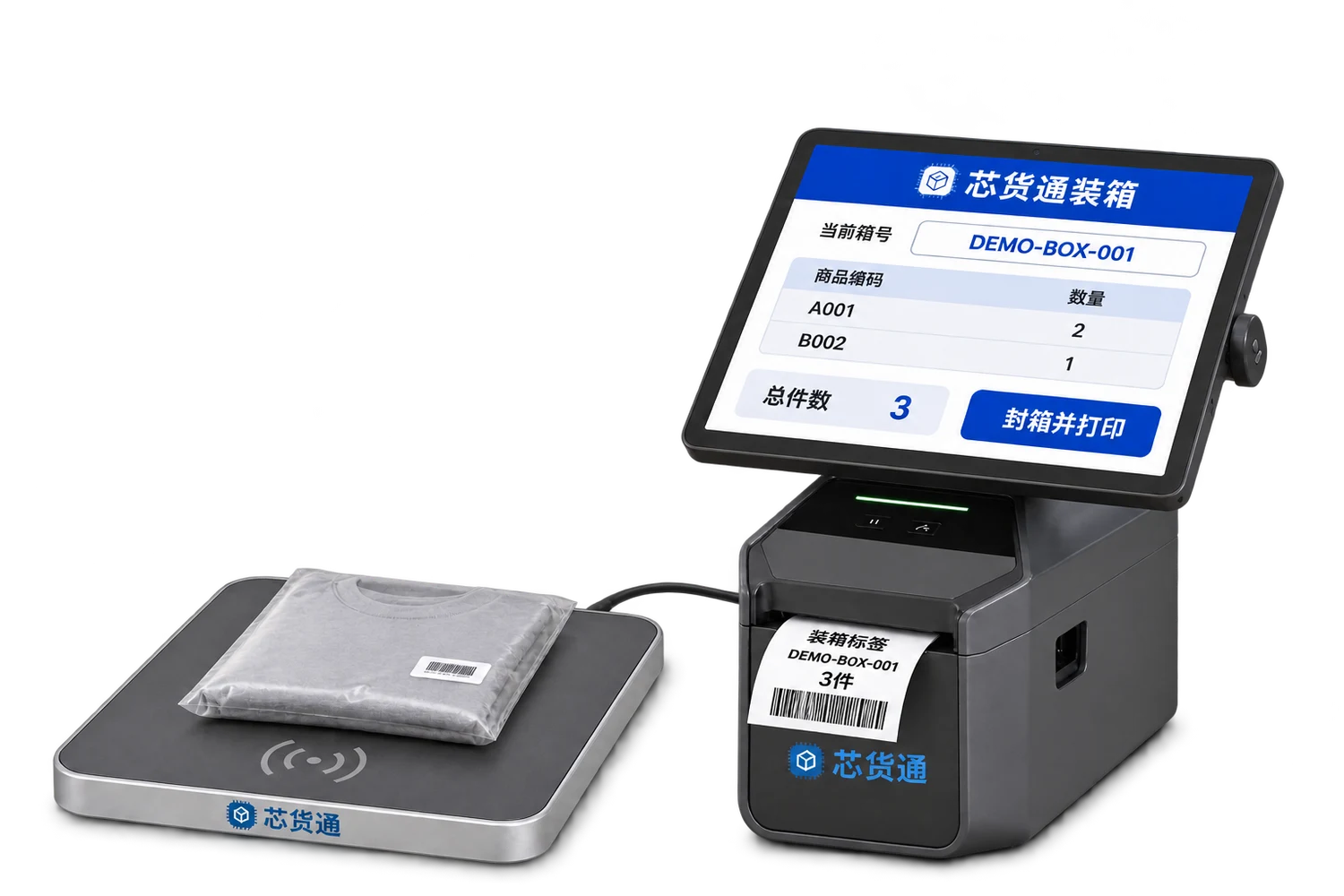
Scan individual item codes or read EPCs, link them to a box code, print the box label and pass the item list to the receiver.
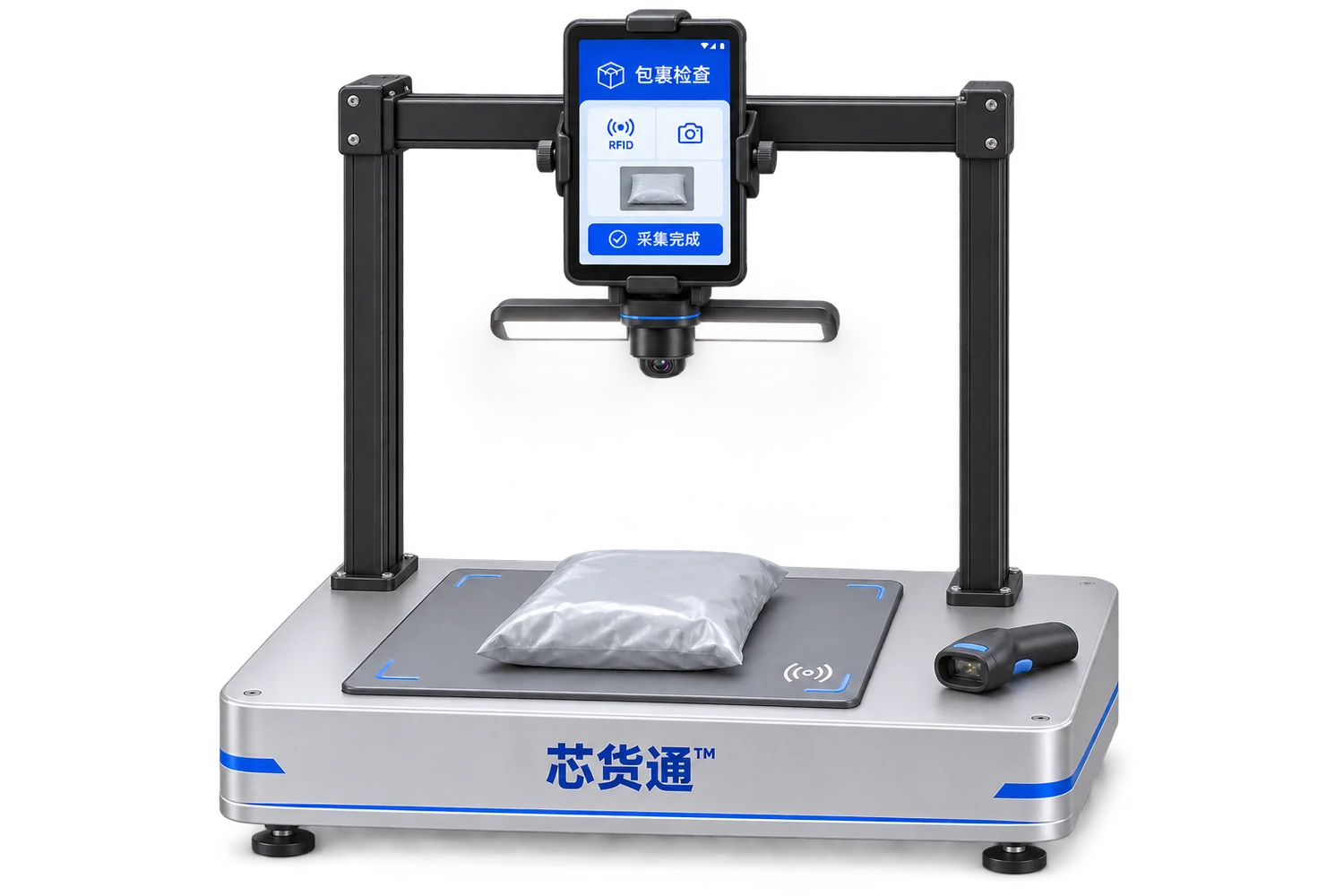
Link the return waybill, parcel photos and RFID item details to support inspection, review and subsequent handling.
LET’S BUILD YOUR WORKFLOWStart with one workstation or one warehouse