
Camera-led code identification and photos
Link the waybill, photos and inspection. Use the scanner as backup when the camera cannot identify a code; the operator confirms candidates when several codes are detected.
07RETURNS INSPECTION STATION
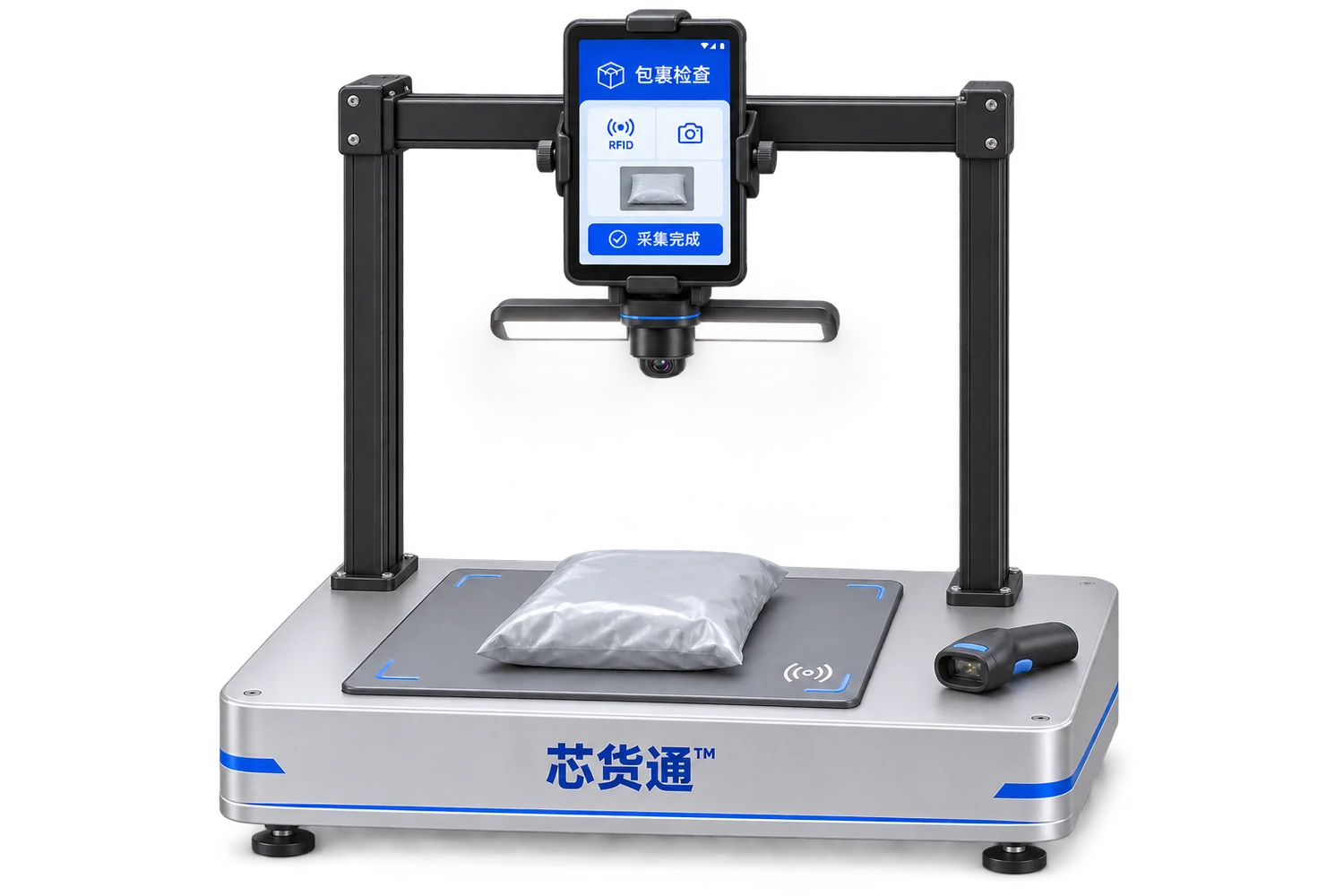
Xinhuotong Returns Inspection Station
Link the return waybill, parcel photos and RFID item details to support inspection, review and subsequent handling.
Android capture implementedDelivery scope follows actual configuration and validation results
01DESIGNED FOR THE WORK
The current Android application can confirm the waybill and photos, perform RFID capture independently, and retain full EPCs, product summaries and history. Product matches and unknown tags are displayed separately for operator checking.
Suitable applicationsE-commerce returns warehouses / Returns inspection stations / Returns verification
Link the waybill, photos and inspection. Use the scanner as backup when the camera cannot identify a code; the operator confirms candidates when several codes are detected.
Deduplicate full EPCs, look up and display product details, and retain short codes and unmatched tags.
Save raw capture evidence locally. Cloud sync, order linking and sorting decisions remain to be developed.
Shared terminalONE PAD · FOUR STATIONS
10.1-inch Pad with quick-release magnetic mounting
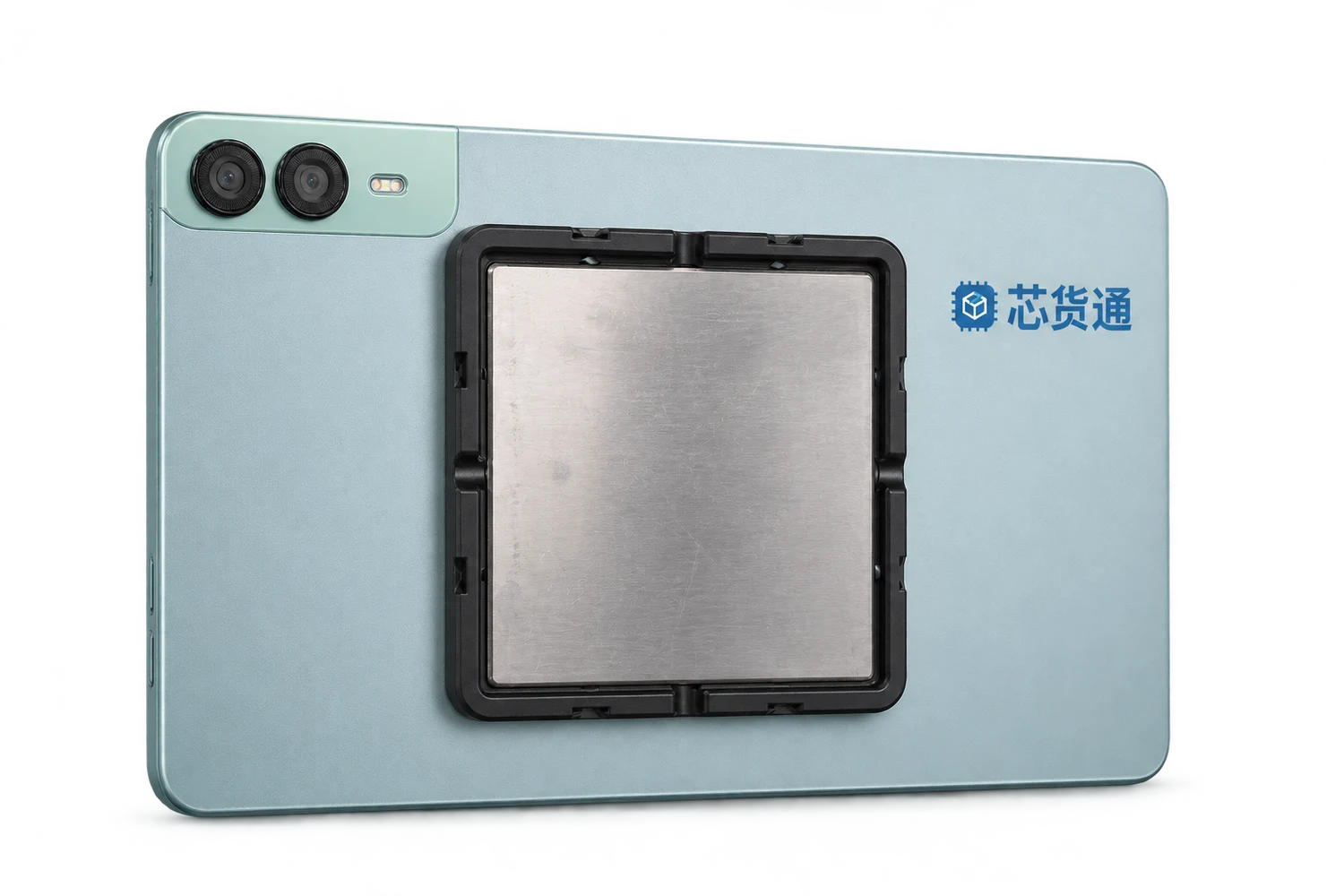
An approximately 110×110mm magnetic mount attaches to the back of the Pad. The Packing Station, Inventory Chamber, Inventory Robot and Returns Inspection Station each have a compatible quick-mount magnetic base. Detach and carry the Pad to the next workstation, then attach it to that device to reduce tablet purchasing and application maintenance costs.
The base rotates and tilts forwards and backwards to suit different operator heights and working positions.
One Pad can be reused at different times. Workstations operating simultaneously each need their own terminal.
Connect the Pad's Type-C port to the equipment-specific interface to control RFID reading/writing, printing and other functions. The magnetic mount provides quick attachment and angle adjustment; the Type-C connection carries control.
02HOW IT WORKS
Scan, type or confirm a detected waybill candidate, and photograph the parcel.
Complete capture and confirm reading has stopped before processing the next parcel.
Check images, codes, colours, sizes, quantities and unknown tags.
Save the local timestamp, waybill number, photos, full EPCs and raw read reports.
03EXPLORE THE WORKFLOW
All parcels and items below are synthetic examples. No customer waybills, photos or actual orders are used.
| Product code | Product | Quantity | Status |
|---|---|---|---|
| DEMO-001 | Sample top · Blue / M | 1 | Matched |
| DEMO-002 | Sample top · White / L | 1 | Matched |
Photos, waybill and details of 2 items belong to the same inspection.
04CONFIGURATION & DELIVERY
Start with your actual goods, tags and working environment,
and agree the hardware, software and service scope together.
The website backend currently provides mainly login and navigation. Automatic sorting, ERP writes and conveyor control are not completed capabilities at this stage; each requires separate development and validation.
05DOCUMENTATION & CONTACT
PDF · English · V1.0 · 2026.11.13
Records are currently stored mainly on the Android device. Cross-device sync and backend access remain future development work.
The current focus is inspection and record keeping. Refunds, order status, sorting rules and device actions must be confirmed separately against interfaces and business rules.
CONTINUE EXPLORINGRELATED PRODUCTS
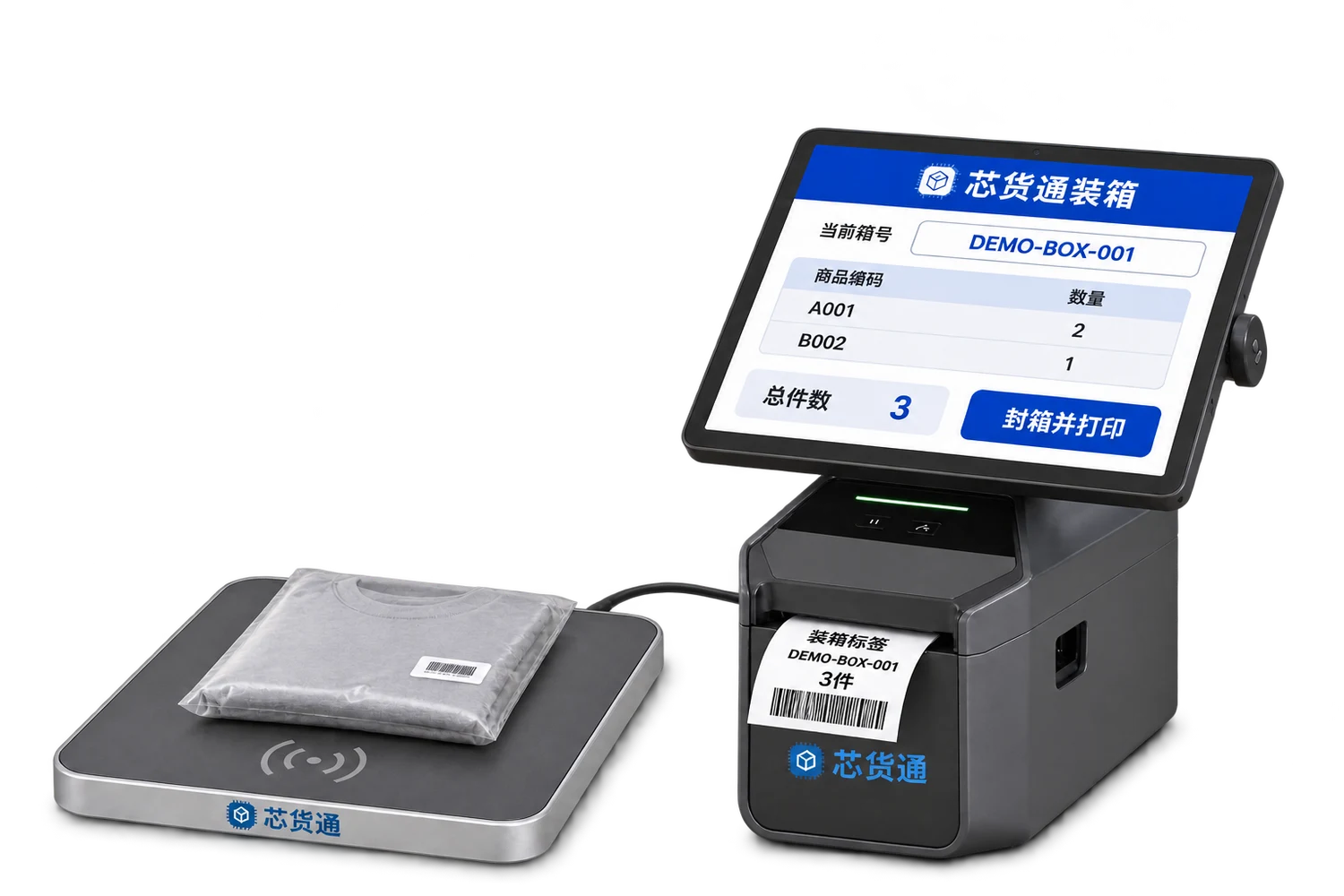
Scan individual item codes or read EPCs, link them to a box code, print the box label and pass the item list to the receiver.
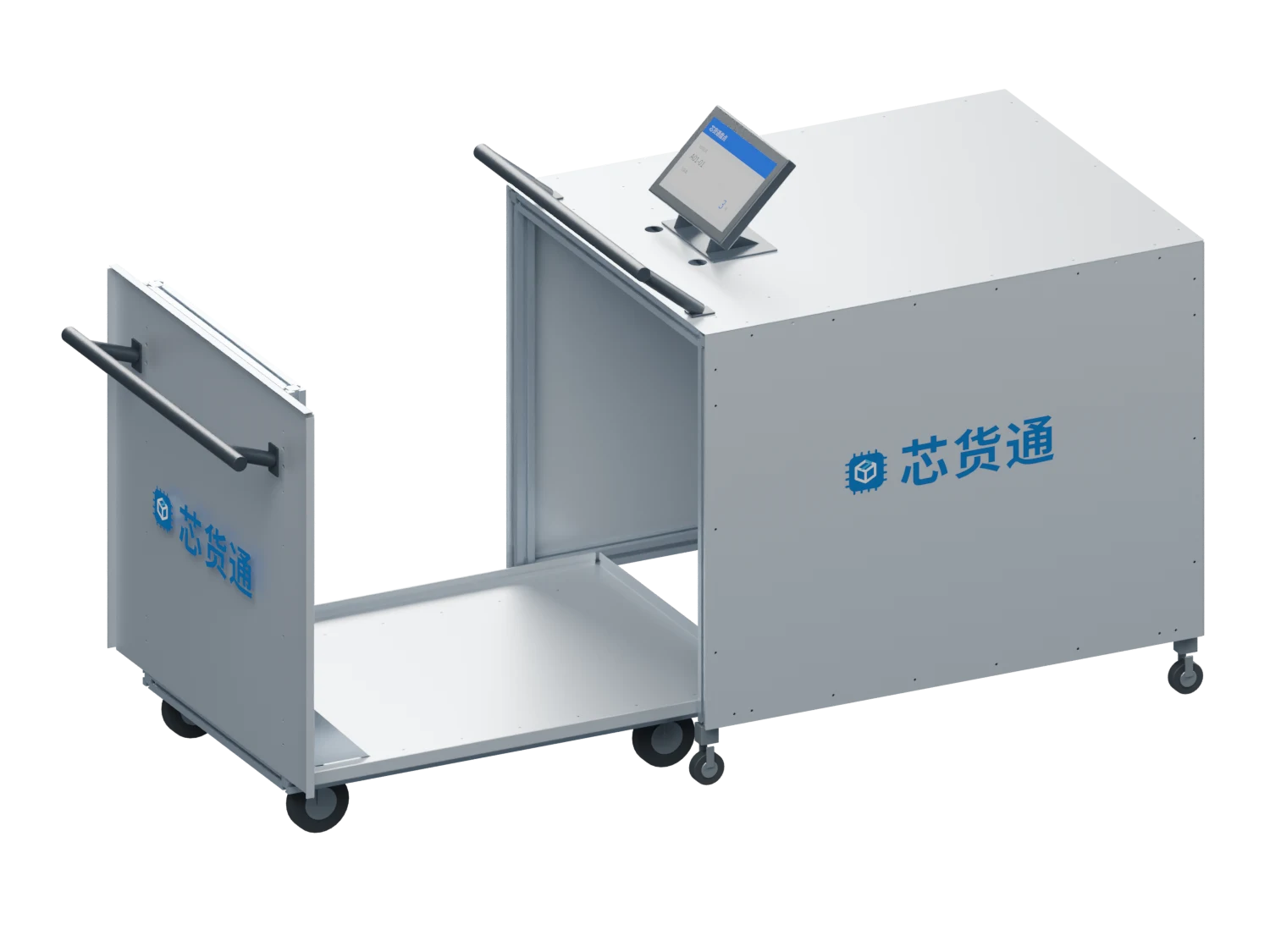
Designed primarily for storage-location inventory: place movable location bins directly on the cart, or first transfer loose goods from fixed locations into storage totes, then push them into the chamber for checking. Receiving can also be organised one box at a time.
LET’S BUILD YOUR WORKFLOWStart with one workstation or one warehouse